

What Do Both Account Types Have in Common?
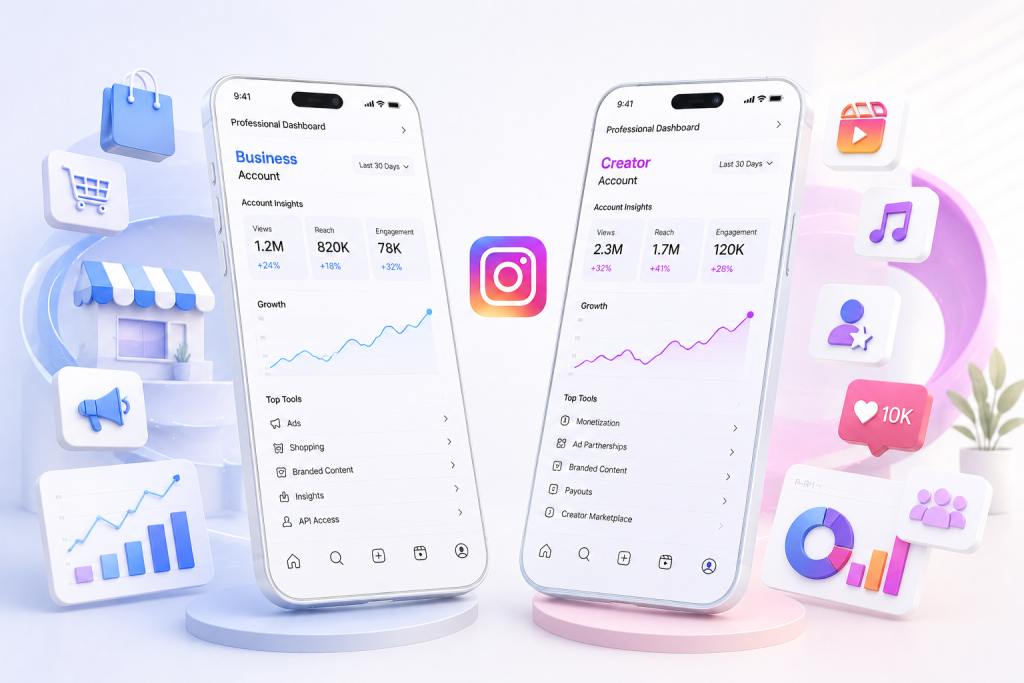
When you switch to a Business or Creator account, you get the same professional basics:
- Instagram Insights: reach, views, engagement and audience demographics.
- Professional Dashboard: one central place to track performance, use growth tools and manage your content.
- Contact buttons: add an email address and phone number to your profile.
- Branded content tools: tag business partners in sponsored posts and use the paid partnership label.
- Content scheduling: plan and publish posts directly through Instagram.
- Boosting posts and running ads: increase your reach by promoting content.
- DM automation: both account types support automation through the Meta Graph API.
- Meta Verified: both Business and Creator accounts can apply for the paid verification subscription.
Neither account type gets an advantage from the Instagram algorithm. Instagram has confirmed several times that your account type does not affect your position in the feed or on the Explore page. Your content’s performance is determined by signals such as watch time, engagement and user interests, not by whether you chose Business or Creator.
What Is an Instagram Business Account?
The Business account has been available since 2016. It was built for brands, retailers, local businesses and service providers: anyone who wants customers to find them, contact them and buy from them through Instagram.
What a Business Account Offers That a Creator Account Does Not
Full API access and third-party tools
Business accounts can be connected to tools such as Later, Buffer and Agorapulse for automated scheduling, multi-account management and detailed performance reports. That makes Business accounts the preferred option for agencies that manage several client profiles. Creator accounts do not support API-based scheduling or external tool integrations.
Full Instagram Shopping functionality
You can set up a complete Instagram Shop with product catalogues, shoppable posts, a separate Shop tab and checkout integration. Since 2026 Creator accounts can tag products and take part in affiliate programmes, but they cannot build a full shop with a checkout experience.
Extended contact and location options
You can show a physical address, opening hours and action buttons such as “Get directions” or “Book now”. Business accounts can also run lead generation campaigns and collect contact details through Instagram, which Creator accounts do not support.
Full access to Meta Ads Manager
You can run ad campaigns across Facebook and Instagram with advanced targeting and conversion tracking. Creator accounts can only boost individual posts and have no access to the full advertising tools available to Business accounts.
What Is an Instagram Creator Account?
The Creator account launched in 2019 and was designed specifically for influencers, artists, public figures and individuals building a personal brand. Its features focus on content creation, discoverability and earning directly through Instagram.
What a Creator Account Offers That a Business Account Does Not
Full access to the music library
Creator accounts can use all trending audio in Reels, including popular tracks from major labels. Business accounts are limited to commercially licensed music, a much smaller library that often excludes the trending sounds that matter for Reels discovery. If Reels are a core part of your strategy, this is one of the most practical differences between the two account types.
Creator Marketplace
Brands actively use the Creator Marketplace to find creators for paid collaborations. If brand deals are part of your monetisation strategy, this is only available on a Creator account. Note that businesses cannot appear in the Creator Marketplace as creators, although brands can use it to discover and approach creators for collaborations.
Built-in Instagram monetisation
Creator accounts support paid subscriptions, Live badges and Stars on Reels, so you can earn directly from your audience within Instagram. These features are not available to Business accounts.
Advanced inbox management
Creator accounts split DMs into Primary, General and Request tabs, which makes it easier to manage large volumes of messages without missing important conversations.
Detailed follower tracking
Creator Insights show daily data on new followers and unfollows, so you can see exactly which content influences your growth. Business analytics focus more on shopping behaviour and website clicks.
Business Account vs. Creator Account: Full Comparison
| Feature | Business account | Creator account |
|---|---|---|
| Instagram Insights | Yes | Yes |
| Professional Dashboard | Yes | Yes |
| Contact buttons (email, phone) | Yes | Yes |
| Branded content tools | Yes | Yes |
| Meta Verified eligibility | Yes | Yes |
| DM automation (Meta Graph API) | Yes | Yes |
| Boosting posts | Yes | Yes |
| Full Meta Ads Manager | Yes | Limited (boosting) |
| External scheduling tools (API) | Yes | No |
| Trending music for Reels | No | Yes |
| Full Instagram Shop | Yes | No (product tagging only) |
| Creator Marketplace | No | Yes |
| Subscriptions, Live badges, Stars | No | Yes |
| Physical address and opening hours | Yes | No |
| Lead generation forms | Yes | No |
| Daily follow/unfollow tracking | Limited | Yes |
| Broadcast channels | Yes | Yes |
Which Should You Choose: Business or Creator?
Choose a Creator account if you:
- Are an individual content creator, influencer, artist or public figure
- Use Reels as the core of your strategy and need trending audio
- Want brand collaborations through the Creator Marketplace
- Want to monetise directly through Instagram with subscriptions or Live badges
- Are an educator, coach or personal brand without a team
- Are building a personal brand rather than selling products through a Shop
Choose a Business account if you:
- Are a brand, retailer, local business or service provider
- Sell products and need a full Instagram Shop with checkout
- Depend on external scheduling tools and API integrations
- Are an agency managing several client accounts
- Run ads regularly through Meta Ads Manager
- Need a physical address, opening hours or lead generation forms on your profile
Still in doubt?
Start with a Creator account. You can switch to a Business account at any time in under 30 seconds, without losing followers, posts or messages. Many people switch between the two several times. There is no penalty and no data loss when switching.
How Do You Switch to a Professional Account?
Switching from a personal account to a Business or Creator account takes less than a minute:
- Go to your Instagram profile
- Tap the menu (three lines at the top right)
- Select Settings and privacy
- Go to Account type and tools and choose Switch account type
- Choose Creator account or Business account
- Follow the steps to select your category
Your followers, posts, Stories and Highlights stay exactly as they are.
Can You Switch Between Business and Creator Later?
Yes, completely free of charge. Switching account types takes about 30 seconds and can be done at any time in the app. Many people start with one type and switch to the other later when their goals change. There is no commitment and no data is lost.
Does Switching Affect Your Followers or Reach?
No. When you switch between account types, or move from a personal account to a professional one, everything is kept:
- All your followers stay
- All your posts, Reels, Stories and Highlights remain
- Your message history stays intact
- There is no algorithm reset
- There is no reach penalty
Instagram Insights starts collecting data the moment you switch to a professional account. The sooner you switch, the sooner you build useful data for your content strategy.
Frequently Asked Questions
Can I switch back to a personal account?
Yes. You can switch back to a personal account at any time. Keep in mind that a personal account no longer has access to Insights, ads and professional tools. All the analytics data you collected will no longer be visible.
Which account is better for small businesses?
A Business account is usually the better choice for small businesses that sell products or services, need contact buttons with a physical address or want to run paid ads regularly. If you are a solo entrepreneur who mainly creates content, a Creator account may fit better.
Can creators run Instagram ads?
Yes. Creator accounts can promote individual posts (boosts). They do not have access to the full Meta Ads Manager with advanced targeting, conversion tracking and campaign management, though. Serious ad campaigns require a Business account.
Do Business accounts get fewer views?
No. Instagram has confirmed that the account type has no influence on reach or visibility. Differences in performance usually come from factors such as content quality and music library limitations, not from an algorithmic penalty.
Can you use trending music with a Business account?
No. Business accounts are limited to commercially licensed music. Creator accounts have access to the full music library, including trending sounds. This is an important difference for anyone who uses Reels.
Which account is best for affiliate marketing?
A Creator account. Creator accounts can take part in the Creator Marketplace for brand collaborations and affiliate programmes. They also support product tagging in posts, Reels and Stories.
Can you schedule posts with both account types?
Instagram’s built-in scheduling works for both account types. External third-party tools that work through the API, such as Later or Agorapulse, are only compatible with Business accounts.
Will I lose followers if I switch?
No. Switching between personal, Business and Creator accounts has no effect on your followers, content or message history.
Can I have more than one professional account?
Yes. Instagram lets you manage up to five accounts in one app. You can have a mix of personal, Business and Creator accounts under the same login.
Ready to Grow Your Instagram?
Whichever account type you choose, the foundation stays the same: a well-optimised profile and a steady stream of real, targeted followers who are truly interested in what you do.
PowerGram combines AI-driven targeting with a personal growth strategy to help businesses, creators and brands grow their Instagram sustainably. See how the growth service works or book a free intro call.